
Google Workspace vs Microsoft 365: How to Choose for Your Team
October 27, 2026
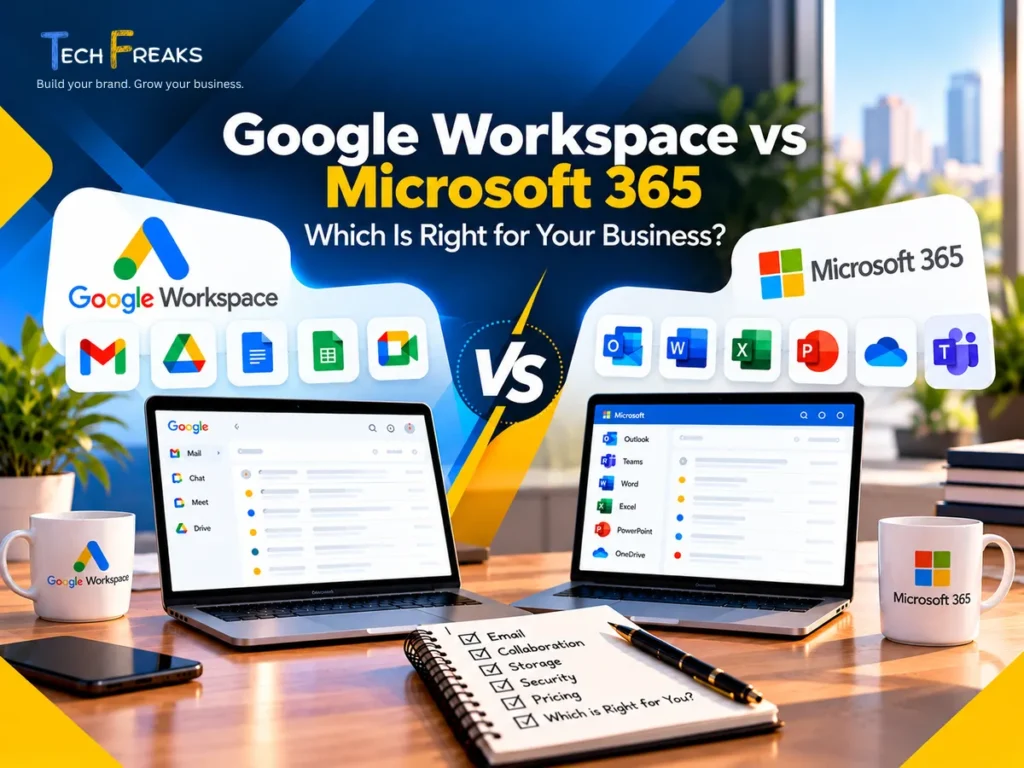
Choosing the right business email and productivity platform is an important decision for any growing company.
Whether you run a startup in Karachi, a consulting business in Lahore, or a professional services firm in Islamabad, your team needs reliable email, shared documents, calendars, and secure access to business information.
Two popular options are Google Workspace and Microsoft 365 (formerly commonly known as Office 365).
Both provide professional email using your business domain, cloud storage, video meetings, and collaboration tools. However, they differ in how people work, which applications they use, and how the services are managed.
So, which one should you choose?
The answer depends less on the brand and more on your team’s everyday requirements.
What Is Google Workspace?
Google Workspace is Google’s collection of cloud-based productivity and communication applications for businesses.
It brings together familiar tools, including:
- Gmail for professional business email
- Google Drive for cloud file storage
- Google Docs for documents
- Google Sheets for spreadsheets
- Google Slides for presentations
- Google Meet for video meetings
- Google Calendar for appointments and scheduling
Businesses can use their own domain for email addresses, such as sales@yourcompany.com, rather than relying on personal Gmail accounts.
Google Workspace is particularly convenient for teams that prefer working in a browser and frequently collaborate on shared documents.
For example, a Karachi-based digital agency might use Gmail for customer communication, Drive for project files, and Docs to prepare proposals with colleagues.
Best suited for: Businesses that prefer browser-based collaboration, shared documents, and familiar Google applications.
Learn more about TechFreaks Google Workspace services.
What Is Microsoft 365?
Microsoft 365 is Microsoft’s business productivity platform, combining professional email, document applications, cloud services, and collaboration tools.
Depending on the selected subscription, it provides:
- Outlook and Exchange Online for business email
- Word for document creation
- Excel for spreadsheets
- PowerPoint for presentations
- OneDrive for personal work-file storage
- SharePoint for team documents
- Microsoft Teams for communication and meetings, where included
Microsoft 365 can be especially useful for businesses already using Microsoft Office applications or managing a Windows-based office environment.
For example, an accounting or distribution business in Lahore may regularly work with Excel spreadsheets, financial reports, and Word documents exchanged with clients.
A suitable Microsoft 365 subscription can support that workflow without requiring employees to change their preferred applications.
Best suited for: Businesses relying on Microsoft Office files, desktop applications, and Microsoft-based IT systems.
Explore TechFreaks Microsoft 365 services.
Google Workspace vs Microsoft 365: Key Differences
Here is a practical comparison for small and medium-sized businesses.
| Feature | Google Workspace | Microsoft 365 |
|---|---|---|
| Professional business email | Gmail | Outlook / Exchange Online |
| Documents | Google Docs | Microsoft Word |
| Spreadsheets | Google Sheets | Microsoft Excel |
| File storage | Google Drive | OneDrive and SharePoint |
| Video meetings | Google Meet | Microsoft Teams, where included |
| Real-time collaboration | Supported | Supported |
| Desktop productivity apps | Primarily browser-based, with offline options | Desktop Office applications on eligible plans |
| Storage | Pooled storage based on plan | OneDrive storage and other limits based on plan |
| Security and administration | Varies by Workspace edition | Varies by Microsoft 365 edition |
| AI assistance | Gemini features vary by plan | Copilot features vary by plan or add-on |
Neither platform is automatically better for every organization.
The most important question is whether it supports the tools and workflows your employees already use.
1. Business Email: Gmail or Outlook?
Both platforms allow companies to use email addresses associated with their business domain.
Professional addresses such as info@yourcompany.com or accounts@yourcompany.com make it easier for customers to recognize the business sending them a message.
Google Workspace uses Gmail, which many employees already know from personal use.
Microsoft 365 uses Exchange Online and Outlook, which may feel more familiar to employees accustomed to Microsoft Office.
Both support business email administration and security features.
When evaluating either system, consider:
- Whether employees prefer Gmail or Outlook
- How shared or department email addresses will be managed
- Whether calendars and contacts need to be migrated
- How email is accessed on phones and computers
- Whether existing website enquiry forms send notifications correctly
Our recommendation: Choose the email system your team can use comfortably and your business can manage securely.
2. Document Collaboration and Office Applications
Both platforms support real-time collaboration, meaning colleagues can work together on files without continuously emailing updated versions.
Google Workspace focuses on Docs, Sheets, and Slides, with convenient browser-based sharing.
Microsoft 365 supports collaboration through Word, Excel, PowerPoint, OneDrive, and SharePoint.
The important difference often appears when businesses work with advanced Office documents.
For example, a company using complicated Excel formulas, macros, or specialized templates should test those files before deciding to replace desktop Excel with Google Sheets.
Likewise, a business that mainly creates proposals, meeting notes, and simple spreadsheets may find Google Workspace sufficient.
Before selecting a platform, identify which applications are essential to everyday operations.
Do not make the decision based on email alone.
3. Cloud Storage and File Sharing
Both Google Workspace and Microsoft 365 allow businesses to store and share files online.
Google Drive works alongside Google’s document applications. Depending on the plan, storage can be pooled across users within an organization.
Microsoft 365 uses OneDrive for individual work files and SharePoint for team collaboration, with storage allowances and capabilities determined by the subscription.
Before choosing, consider:
- How much storage your business currently uses
- Whether your team shares large design, video, or engineering files
- Who should access confidential folders
- How files will be backed up or recovered
- What happens to files when an employee leaves
A good storage setup should make information easy to find while keeping access appropriately controlled.
4. Security and Business Administration
Business email often contains customer enquiries, contracts, invoices, and other important information.
Security should therefore be part of the buying decision, not an afterthought.
Both platforms provide security and administrative features, but their availability varies by subscription.
When comparing plans, look at multi-factor authentication, user access controls, device management, retention requirements, and protection against suspicious sign-ins.
Microsoft 365 Business Premium includes advanced device-management and security capabilities, while higher Google Workspace editions provide additional administrative, security, and information-governance features.
For businesses managing office computers, employees’ laptops, and network access, it may also help to review their broader technology setup.
See our IT Infrastructure services.
5. Which Platform Is Easier for Your Employees?
The easiest solution is usually the one that fits how your employees already work.
If your staff regularly uses Gmail, Google Drive, and Google Docs, switching to Workspace may require less adjustment.
If they already rely heavily on Outlook, Excel, Word, and Microsoft Teams, Microsoft 365 may offer a more familiar environment.
However, neither platform is entirely limited to one working style. Google supports offline workflows, and Microsoft also provides browser-based collaboration.
A small pilot with actual business documents is often more useful than choosing based on marketing descriptions.
Ask employees to test their normal activities: sending email, editing spreadsheets, sharing files, joining meetings, and accessing documents from phones.
Their experience can reveal problems before you commit to a broader rollout.
6. Google Workspace vs Microsoft 365 Pricing in Pakistan
Both platforms use subscription-based licensing, but costs depend on the plan, billing arrangement, available services, and selected features.
Google Workspace offers Business Starter, Business Standard, Business Plus, and Enterprise options.
Microsoft offers Business Basic, Business Standard, Business Premium, and enterprise plans, alongside variations that may include or exclude specific services.
When comparing costs in Pakistan, check more than the advertised monthly price.
Review:
- Pricing for your actual billing country and currency
- Monthly versus annual commitments
- Applicable taxes and payment methods
- Included email, storage, and security features
- Whether desktop Office applications are required
- Whether Microsoft Teams or advanced Copilot features are included
- Any additional migration, setup, or support costs
Do not assume that all AI features are included simply because a plan mentions Gemini or Copilot.
For current subscription details, consult the official Google Workspace pricing and Microsoft 365 business plans.
The lowest-priced subscription is not always the most suitable choice if your business requires features available only in another plan.
7. Which Platform Should Pakistani Businesses Choose?
Consider these practical situations.
Startups and Small Agencies in Karachi
A startup that regularly collaborates on proposals, content calendars, and shared documents may find Google Workspace convenient.
If the same startup depends heavily on desktop Excel, Outlook, or advanced Word templates, Microsoft 365 deserves closer consideration.
Accounting, Distribution, and Consulting Businesses in Lahore
Businesses exchanging complex spreadsheets and Microsoft Office documents with customers may benefit from a Microsoft 365 plan that includes desktop applications.
However, the final decision should still consider email preferences, security, and available budget.
Schools and Training Businesses in Islamabad
Google Workspace and Microsoft 365 both offer communication and collaboration tools.
Educational organizations should also review any eligible education-specific products and licensing rather than assuming standard business subscriptions are the most appropriate option.
Clinics and Professional Service Businesses
Both systems can support appointments, email, documents, and internal collaboration.
Businesses handling sensitive customer or patient information should review their particular privacy, security, and legal obligations before selecting a platform.
These examples apply to similar businesses in Rawalpindi, Austin, and other locations. The organization’s workflow matters more than its city.
8. Can You Switch From Google Workspace to Microsoft 365 or Vice Versa?
Yes. Businesses can migrate between the platforms, although the complexity depends on their existing email, files, calendars, permissions, and user accounts.
A planned migration should include the following steps:
- Review existing users, email accounts, shared addresses, and storage.
- Select the destination platform and appropriate licenses.
- Verify ownership of the business domain.
- Prepare destination mailboxes and migrate supported data.
- Test user access, documents, calendars, and shared files.
- Update mail-routing DNS records at the appropriate stage.
- Configure and verify SPF, DKIM, and DMARC email authentication.
- Test incoming email, outgoing email, website forms, and mobile access.
Important: Do not change your domain’s MX records before the destination mailboxes are ready. An incorrectly planned cutover can interrupt email delivery.
Also, changing MX records does not automatically transfer historical emails or files from the previous provider.
Businesses should plan the migration, preserve necessary data, and confirm that users can work normally before retiring their old services.
9. A Simple Way to Make the Final Decision
If you are still undecided, answer these questions:
Does your team prefer Gmail, Google Docs, and browser-based collaboration?
Google Workspace is worth evaluating first.
Does your business rely on desktop Word, Excel, and Outlook?
Start by reviewing Microsoft 365 Business Standard or another suitable Microsoft plan.
Do you need centralized office-device management?
Compare the advanced security and device-management capabilities of the relevant subscriptions.
Are you changing from an existing email provider?
Prioritize migration planning, domain configuration, authentication, and user support regardless of which platform you select.
Do you need both Google and Microsoft applications?
A mixed environment may be appropriate, but review licensing costs, data sharing, and administrative complexity before adopting it.
Frequently Asked Questions
Is Google Workspace better than Microsoft 365 for a small business?
Not necessarily. Google Workspace may be convenient for browser-based collaboration and teams familiar with Gmail. Microsoft 365 may be preferable when employees depend on desktop Office applications or Microsoft-based systems.
Which is cheaper in Pakistan: Google Workspace or Microsoft 365?
The answer depends on the subscription tier, billing terms, taxes, and features required. Compare current official prices and the total cost of the services your employees will actually use.
Can I use my existing business email address?
Yes, in most standard business setups, either platform can use an existing business domain after ownership verification and proper email configuration. Existing messages and other data may require a separate migration.
Do I need to change my website when switching email providers?
Usually not. Your website and domain can remain where they are hosted. However, email DNS records and integrations such as enquiry-form notifications may need updating.
Does Microsoft 365 include desktop Word and Excel?
Eligible Microsoft 365 business plans include desktop Office applications. Business Basic primarily provides web and mobile versions, so review the exact plan before purchasing.
Can I migrate from Google Workspace to Microsoft 365?
Yes. Migration is possible, but email, calendars, contacts, files, and permissions should be reviewed carefully to reduce the risk of lost information or disruption.
Final Thoughts: Choose What Works for Your Business
Google Workspace and Microsoft 365 are both capable business platforms.
Google Workspace may be a natural fit for teams that prefer Gmail and shared online documents. Microsoft 365 may be a better match for businesses relying on Office desktop applications and Microsoft-based systems.
Neither should be selected simply because it is popular.
The right decision considers employee workflows, required applications, security, ongoing costs, and the ability to manage the system as your business changes.
At TechFreaks, we believe technology should be built around your business—not the other way around.
Need Help Choosing Google Workspace or Microsoft 365?
TechFreaks helps businesses evaluate, configure, and manage professional email and workplace technology.
Whether you’re starting a business in Karachi, upgrading existing email systems, or planning a team migration, we can help you review your requirements and choose an appropriate solution.
Explore our Google Workspace services and Microsoft 365 services.
Build your brand. Grow your business.