
Local SEO in Karachi: How Small Businesses Can Get Found on Google
October 31, 2026
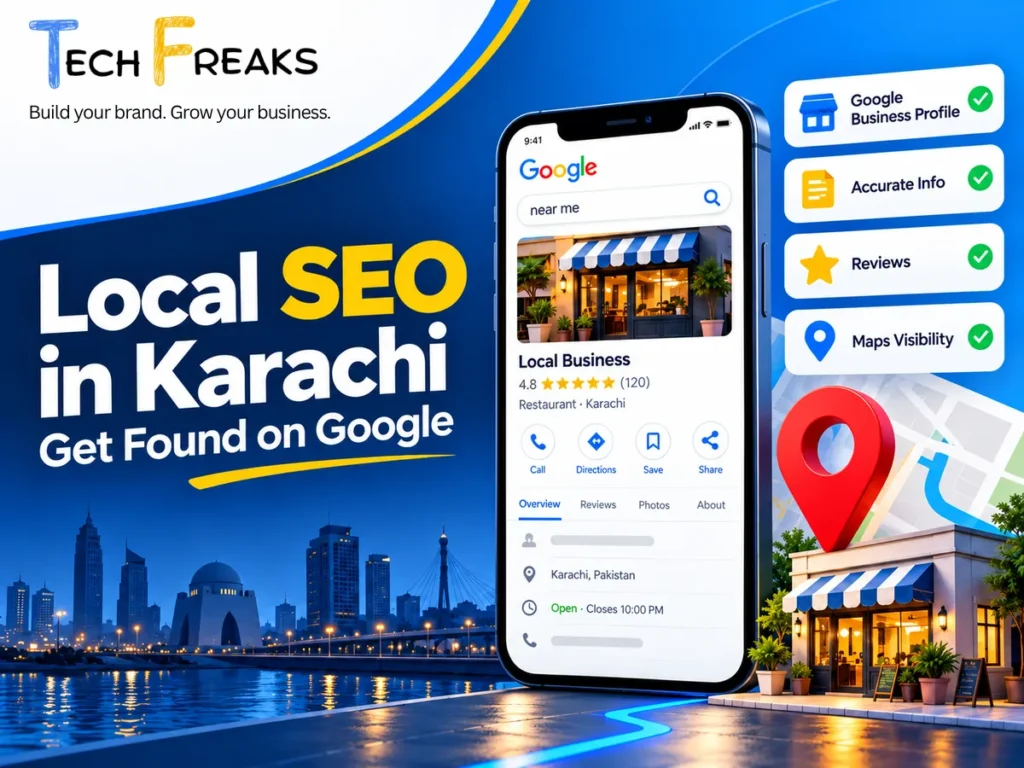
When someone in Karachi searches for a nearby service, they may use phrases like “printing shop in Clifton,” “IT support in DHA Karachi,” or “website development company in Karachi.”
Google may show local business listings, websites, maps, reviews, and contact details depending on the search.
For small businesses, appearing in relevant local searches can create opportunities to connect with people who are already looking for their products or services.
But having a website or a Google Maps listing doesn’t automatically guarantee visibility.
Your business information needs to be accurate, your website needs to be useful, and potential customers need a clear way to contact you.
Local SEO helps businesses improve their visibility in location-related organic search results without relying on paid advertising.
In this guide, we’ll explain how businesses in Karachi can improve their local online presence using free tools and practical steps.
What Is Local SEO?
Local search engine optimization, commonly called local SEO, focuses on helping businesses become more discoverable when people search for products or services in a particular location.
For example, a business might want to be found when someone searches for:
- Digital marketing services in Karachi
- Corporate printing services in Clifton
- IT support for offices in Shahrah-e-Faisal
- Website development company in DHA Karachi
- Recruitment agencies in Karachi
- Office networking services in Pakistan
These are illustrative keyword ideas, not verified search-volume or ranking figures.
Local SEO includes more than adding location names to website pages.
It involves accurate business information, relevant website content, technical accessibility, genuine customer reviews, and a Google Business Profile where the business is eligible.
For a small business serving customers in Karachi, these elements work together to help people understand what the company provides and where its services are available.
1. Check Whether Your Business Is Eligible for Google Business Profile
A Google Business Profile is a free listing that lets eligible businesses manage information displayed through Google Search and Maps.
It can show details such as your business name, contact information, website, opening hours, photos, and customer reviews.
Before creating a profile, however, check whether your business qualifies.
Google generally requires businesses to make in-person contact with customers during their stated hours.
For example, a physical retail shop, clinic, showroom, or business that visits customers at their locations may qualify.
An online-only business without qualifying in-person customer contact generally isn’t eligible.
How to create or claim your listing
Visit Google Business Profile.
Search for your business on Google Search or Maps to check whether a listing already exists.
If your business is listed, follow Google’s ownership-claiming process rather than creating an unnecessary duplicate.
If no listing exists and your business is eligible, follow Google’s setup instructions.
Enter your actual business name, appropriate category, and accurate location or service-area information.
Complete the verification method Google offers you.
Verification options depend on the business and may include methods such as video, phone, email, or other supported processes.
Important: Never create a fake business location simply to appear in Google Maps results for another city or neighbourhood.
2. Understand How Google Determines Local Rankings
Google explains that local search rankings are mainly influenced by three factors:
Relevance: How closely a business matches what someone is searching for.
Distance: How far a business is from the searcher’s location or the location associated with the search.
Prominence: How well-known a business is, including signals such as relevant online references and genuine reviews.
For example, a customer searching for an office IT support provider in Clifton may receive different local results from someone searching for the same service in North Nazimabad.
This doesn’t mean you need to open multiple Google Business Profiles across Karachi.
Instead, focus on providing accurate information about your actual business and its services.
There’s no legitimate way to pay Google for a guaranteed improvement in organic local rankings.
3. Choose the Right Business Category and Services
Your Google Business Profile category helps Google understand what your business does.
Choose the category that most accurately represents your primary business activity.
For example:
A business primarily providing website development should select the closest available category describing that activity.
A commercial printing company should use a category appropriate to its printing services.
Avoid selecting unrelated categories simply to attract more searches.
Where supported, add the services your business genuinely provides.
A technology services company might list offerings such as website development, SEO, business email setup, and office network support if those services accurately reflect its operations.
Use clear descriptions that help customers understand what is included.
Do not stuff location keywords, promotional statements, or phone numbers into service names.
Google provides a services editor for eligible business categories, making it possible to organize different offerings under the appropriate categories.
4. Keep Your Business Information Accurate Everywhere
Customers may find your company through Google Maps, your website, business directories, or social media.
Conflicting contact details can create confusion and make it harder for customers to reach you.
Review your core business information:
- Business name
- Actual business address, if publicly displayed
- Business phone number
- Website address
- Opening or contact hours
- Service areas
For example, imagine a printing company whose website shows one phone number while its Google Business Profile shows an old number.
Even if someone discovers the business, they may struggle to make an enquiry.
Ensure that your important contact information is correct on the platforms you control.
What if your business doesn’t receive customers at its office?
Some eligible businesses visit customers rather than receive visitors at a public location.
These are commonly called service-area businesses.
If you operate this way, Google generally requires you to hide your address from customers and configure an accurate service area.
Do not use a residential address as a public storefront if customers are not received there.
Likewise, rented mailing addresses and virtual offices that don’t meet Google’s physical-location requirements shouldn’t be used to create additional listings.
A service area describes where you operate; it does not guarantee visibility throughout that region.
5. Improve Your Website for Local Searches
Your website plays an important role in helping potential customers understand your business after discovering it through search.
A Google Maps listing may help someone find your business, but your website can provide the detailed information they need before making an enquiry.
For a Karachi-based company, important website elements include:
- A clear homepage explaining your services
- Dedicated pages for major services
- Accurate business contact information
- Relevant information about your service coverage
- Mobile-friendly navigation
- Working contact forms
- A visible way to request a quotation
For example, an office networking company could have a dedicated page explaining its installation services, types of customers served, and the information needed to request a quotation.
That page would be more useful than a generic paragraph containing repeated versions of “best IT company in Karachi.”
Include location references naturally where they help visitors.
If you serve businesses in Karachi, Lahore, or Islamabad, explain your actual service delivery arrangements.
Avoid creating identical city pages that contain little more than a changed location name.
Businesses that need help improving their website structure can explore TechFreaks’ Web Design & Development services.
6. Use Genuine Photos and Useful Business Descriptions
Customers often want to understand what a business actually looks like and what it provides.
If your business has an eligible Google Business Profile, consider adding clear, authentic photos that help customers recognize your premises, products, facilities, or services.
Examples include:
Retail stores: Actual storefront, shop interior, and available products.
Restaurants and cafés: Dining area, menu items, and entrance.
Manufacturers: Production facilities and products, subject to company permissions.
Professional service firms: Genuine office or team photographs where appropriate.
Avoid uploading unrelated stock images or heavily edited photos that misrepresent your company.
Your business description should also explain your actual work.
Example business description
Illustrative example for a Karachi-based IT services company:
“We provide IT support, office networking, computer system setup, and technical assistance for businesses in Karachi. Our services are designed for offices and organizations that need practical technology solutions. Contact our team to discuss your requirements and available support options.”
Adapt this example to your real services. Only claim locations, capabilities, or qualifications that can be verified.
A useful description should communicate what you offer without exaggerated claims or unnecessary keyword repetition.
7. Encourage Honest Customer Reviews
Reviews can help prospective customers understand other people’s experiences with a business.
Google also considers review-related signals as part of local prominence.
However, reviews must reflect genuine customer experiences.
You can ask customers to leave an honest review after providing a product or service.
Google allows eligible businesses to generate a review link or QR code from their Business Profile.
You can share this through appropriate channels, including email or WhatsApp.
Example review request
“Thank you for choosing our services. If you’d like to share your experience, we’d appreciate an honest Google review. Your feedback helps us understand what we’re doing well and what we can improve.”
Never offer discounts, payments, gifts, or other incentives in exchange for reviews.
Do not ask customers to leave only positive feedback.
Avoid buying reviews, using fake accounts, or collecting ratings from people who have not genuinely experienced your business.
Respond professionally to both positive and negative reviews.
If a customer raises a concern, acknowledge it appropriately and explain how they can contact your business for assistance.
Genuine feedback is more useful than an artificially inflated rating.
8. Make It Easy for Local Customers to Contact You
Local SEO is not just about appearing in search results.
Potential customers also need a simple way to get in touch.
Check whether someone visiting your website from a phone can easily:
- Call your business
- Open WhatsApp
- Request a quotation
- Submit a contact form
- Find accurate business hours
- Understand where services are available
For example, an SME searching for a website developer in Karachi may want to describe its project before requesting pricing.
A contact form that asks for the company name, service required, and a short project description can help start that conversation.
WhatsApp can be a convenient alternative, particularly for visitors using mobile devices.
However, a WhatsApp button must open the correct business number, and the business should have a practical process for responding.
A good customer journey connects search visibility with useful service information and a reliable contact method.
For a broader approach to business enquiries, explore TechFreaks’ Digital Marketing services.
9. Create Helpful Content Around Local Customer Questions
A business blog can support organic visibility by answering questions potential customers ask before purchasing.
For example, a Karachi-based commercial printing company might publish:
“How to Choose Packaging Materials for Your Products”
A business IT provider could publish:
“What to Check Before Setting Up an Office Network”
A website development company might explain:
“What a Small Business Website Needs Before Launch”
These examples focus on actual customer problems.
You can mention Karachi where location genuinely affects service availability, pricing considerations, logistics, or business requirements.
However, not every article needs a city name in its title.
The goal is to help readers make informed decisions rather than repeat local keywords.
Internal links should also connect useful articles to the appropriate service pages.
For example, an article explaining organic search visibility can naturally link to TechFreaks SEO services.
10. Understand What Google Business Profile Can and Cannot Do
A verified and properly maintained Business Profile can help eligible businesses present accurate information through Google Search and Maps.
But it doesn’t guarantee that your company will appear in the top results for every relevant search.
Likewise, frequent updates or adding more services do not automatically produce better rankings.
Local visibility depends on several factors, including relevance, distance, and prominence.
For this reason, avoid treating every profile activity as a ranking trick.
Instead, focus on keeping your information accurate, providing genuine customer value, and making your business easy to evaluate.
If you’re a remote-only business that isn’t eligible for a Google Business Profile, focus on your website’s organic SEO, relevant service pages, helpful content, and legitimate business references.
You can still build an online presence without a Google Maps listing.
11. Monitor Local Search Performance Using Free Tools
Local SEO improvements should be evaluated using available evidence rather than assumptions.
If you manage a verified Google Business Profile, its Performance section can provide information about how users discover and interact with the listing.
Depending on the available features, you may see information such as searches, website clicks, calls, and direction requests.
You can also use Google Search Console to understand which queries and pages receive organic search impressions and clicks.
Google Analytics can help you measure website actions, including successful enquiry-form submissions where tracking has been configured correctly.
For lead generation, distinguish between:
Website clicks: Someone selected a link to your website.
Contact interactions: Someone clicked a phone number, WhatsApp button, or contact option.
Actual enquiries: Someone sent a message or submitted an enquiry.
Qualified leads: Your business confirmed that the enquiry matches its services and customer requirements.
These are different stages.
A website click is not automatically a customer enquiry, and a contact-button click does not guarantee a conversation.
Review the information available and use it to identify areas where the customer experience could improve.
Local SEO Checklist for Karachi Small Businesses
Use this checklist when reviewing your company’s online presence.
| Area | What to check |
|---|---|
| Google Business Profile | Eligible, claimed, and verified |
| Business category | Accurately describes the main activity |
| Contact information | Correct on the website and listing |
| Business hours | Reflect actual availability |
| Photos | Genuine and relevant |
| Customer reviews | Authentic and professionally managed |
| Website | Clear services and mobile-friendly layout |
| Service pages | Explain offerings and coverage |
| Contact methods | Phone, form, and WhatsApp work |
| Search Console | Important website pages can be inspected |
| Performance | Enquiries tracked separately from clicks |
Start with issues that affect customers directly.
For example, fixing an incorrect phone number or broken enquiry form may be more urgent than publishing another blog article.
Frequently Asked Questions
Is local SEO free for small businesses in Pakistan?
You can perform many local SEO activities using free tools, including Google Business Profile for eligible businesses, Google Search Console, and website content improvements. Professional assistance or paid tools are optional, depending on the work required.
How do I add my Karachi business to Google Maps?
First, confirm that your business meets Google’s eligibility requirements. Then visit Google Business Profile, search for an existing listing, and claim or create your business profile. Complete the verification process provided by Google.
Can a home-based business appear on Google Maps?
Some home-based businesses qualify if they make in-person contact with customers, such as by visiting customer locations. Eligible service-area businesses should hide their residential address when customers are not served there. Online-only businesses generally aren’t eligible.
Can I rank in Google Maps without a website?
An eligible business may appear through its verified Google Business Profile without having a website. However, a useful website can provide more information about your products or services and support your wider organic search strategy.
Does adding more areas to my Google Business Profile improve rankings?
Not automatically. Service-area settings describe where your business operates. Google still considers relevance, distance, and prominence when determining local results.
How long does local SEO take to show results?
There is no guaranteed timeline. Visibility depends on your business, website, competition, existing presence, and Google’s systems. Track relevant changes through Search Console and Business Profile performance rather than expecting an immediate ranking increase.
Does Google Business Profile help companies serving multiple cities?
It can help eligible businesses represent their genuine locations and service areas. However, businesses should not create fake branches or duplicate profiles for cities where they don’t operate qualifying locations.
A company serving customers remotely across Pakistan can describe that availability on its website without claiming physical offices in every city.
Final Thoughts
Local SEO is an important part of building a business’s online presence, especially when customers search for services in a particular area.
For small businesses in Karachi, the right starting point is often straightforward:
Make your business information accurate, review your Google Business Profile eligibility, improve your website’s service information, and give customers a reliable way to contact you.
Then build on those foundations with helpful content, genuine customer feedback, and consistent website maintenance.
Local SEO isn’t about manipulating Google Maps or filling pages with repeated keywords.
It’s about making a real business easier to discover, understand, and contact.
Need Help Improving Your Local SEO in Karachi?
TechFreaks helps businesses improve their digital presence through website development, search engine optimization, and practical digital marketing services.
Our approach starts with understanding your business, current website, target customers, and priorities before recommending the next steps.
Whether you’re improving an existing WordPress website or planning a stronger local search presence, we can help you review your requirements.
Explore our SEO services, Web Design & Development, or Digital Marketing services.
Build your brand. Grow your business.
Chat with TechFreaks on WhatsApp
Official Resources
Google — Tips to Improve Local Ranking